How to invalidate (cancel) a free ticket
Introduction
As free tickets do not create a transaction, tickets can only be invalidated (cancelled) directly from the Tickets module. If you require assistance cancelling and/or refunding a paid order —please refer to the relevant article for further guidance.
Summary
This article will help you manage the issuance of free tickets by showing how to invalidate or validate them.
Help Guide
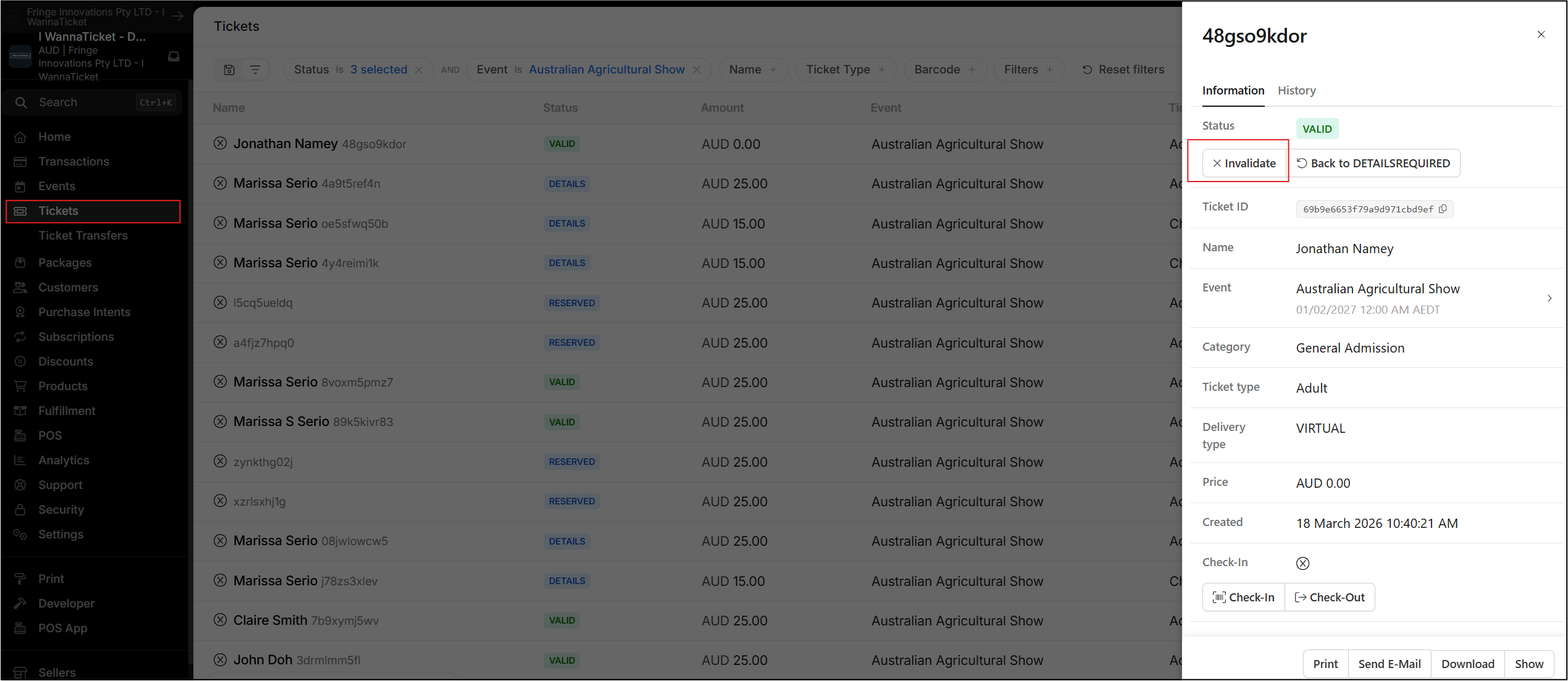
- Open the Tickets module (via the Account Menu in the dashboard)
- Locate the relevent ticket and click to open (seach tools and filters are available), a confirmation dialog box will appear from the right
- Click Invalidate
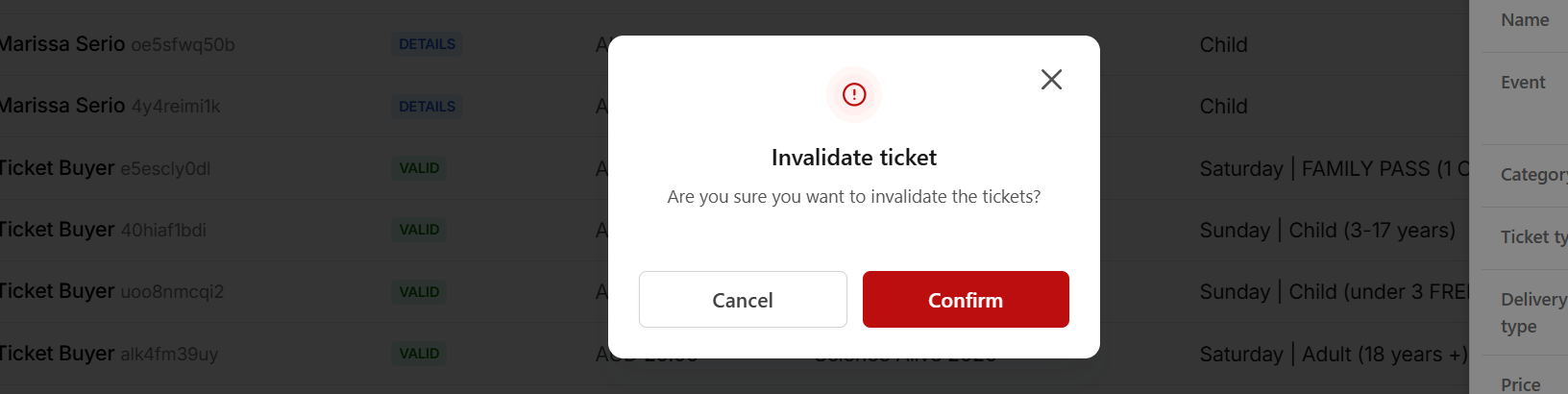
- You will be asked to confirm your action, click Confirm to proceed
- The Ticket is invalidated and will be removed from the ticket inventory
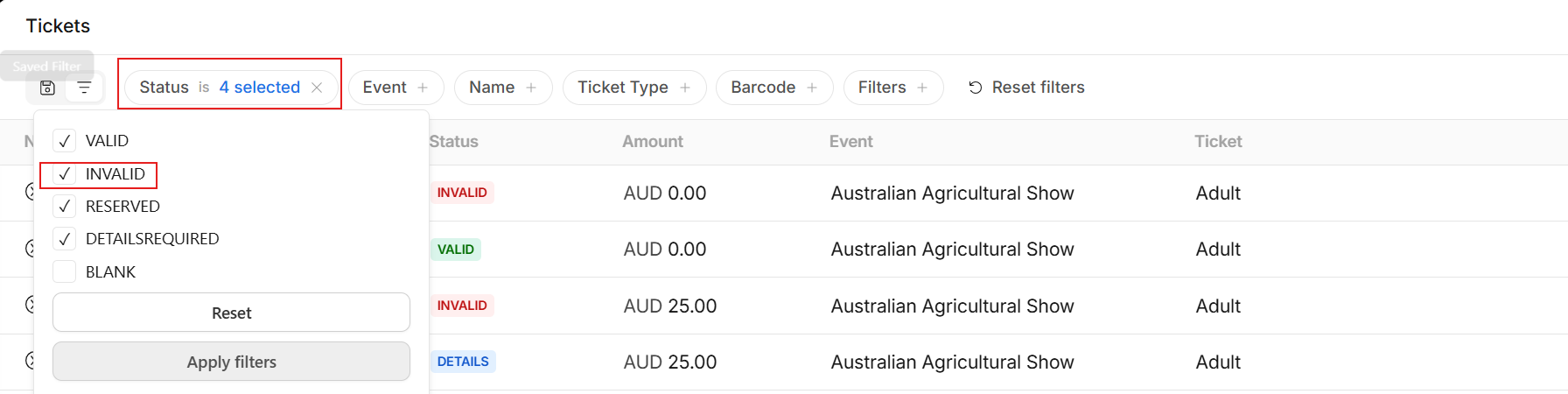
To locate a ticket marked as invalid, go to the Status filter in the Tickets module and tick INVALID to display these tickets. Once you have opened the invalid ticket, you can click Validate to change its status back to Valid.