How do I generate a guest list?
Introduction
A guest list can be generated at the account level, event level and filtered using granular data points. Contact your Account Manager for guidance if needed.
Summary
You can view, export or save a guest list in the dashboard on demand, 24/7. In the example below, we demonstrate how to export the ticket holders for a specific upcoming event within your account.
Help guide
Creating and exporting a guest list for an upcoming event
- Via the Account menu, navigate to the Tickets module
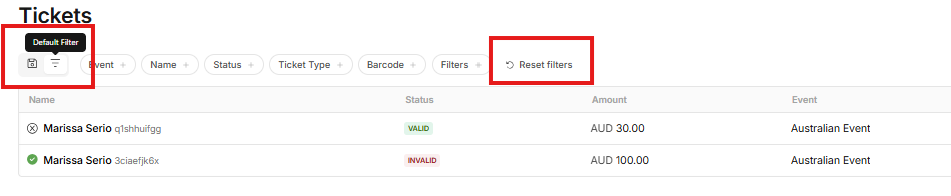
- If you have saved filters, toggle to the default filter to begin a new list
- Before you begin, it’s very important that you click Reset Filters (if displayed). This will refresh the default settings before creating a new saved filter.


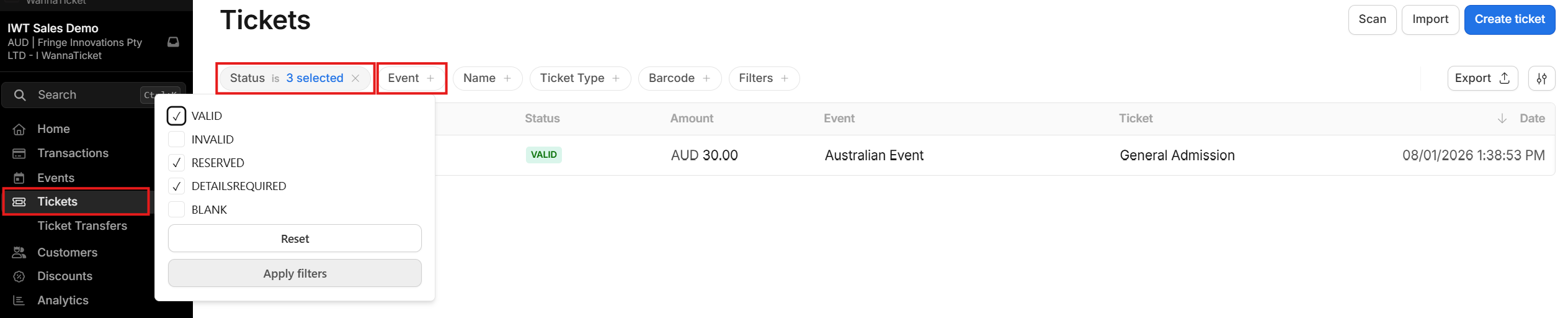
- The default status filter will include Tickets with the following status
- Valid - Valid ticket holder, personalisation complete (if required), ticket ready to be scanned
- Reserved - This includes any tickets in reserve, which may be pending payment via purchase intent or reserved if you have enabled reservations for your event.
- Details required - The ticket holder has not yet completed the required personalisation. You may wish to contact these ticket buyers prior to the event. Until the required personalisation is complete, the ticket cannot be scanned.
- Click the Event filter in the top menu and select the required event
- Use the remaining filters in the top menu to drill down across granular data points.
- Check your filters are correct
- Click Export, you will be prompted to name the export then toggle on/off additional optional data fields
How to save a guest list view in the dashboard
- Following steps 1 - 6 above to create your guest list
- Click Save Filter, which will prompt you to name the filter view and optionally allow you to toggle whether this filter view should be shared with other users in your account

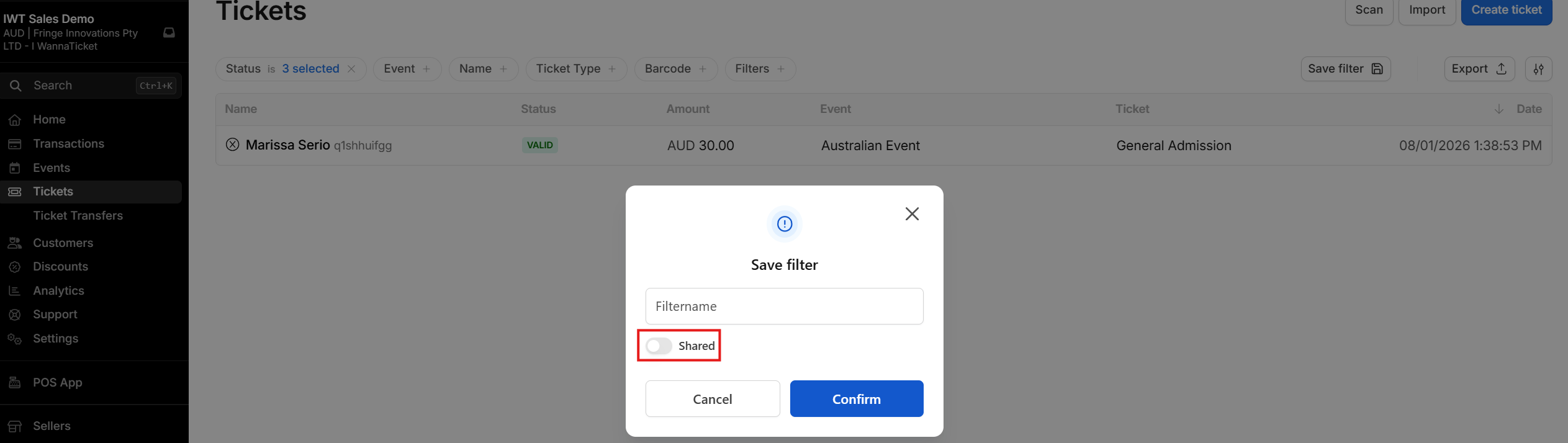
- Once saved, the top menu, will now display a new filter. This allows you to toggle between saved filters and the default filters.
- When you toggle back to the default filter, it’s very important that you click Reset Filters (if displayed). This will refresh the default settings before creating a new saved filter.